Complete System Health Monitoring for Milestone XProtect
Complete System Health Monitoring for Milestone XProtect
Get real-time visibility and actionable insights into the status, performance, and reliability of your entire VMS. Prevent downtime, solve issues faster, and keep your video security running smoothly.
Smart Notifications Tell You Exactly What You Need To Know About Camera Down Events, Without Spamming Your Inbox
Smart Notifications Tell You Exactly What You Need To Know About Camera Down Events,
Without Spamming Your Inbox
HOW IT WORKS
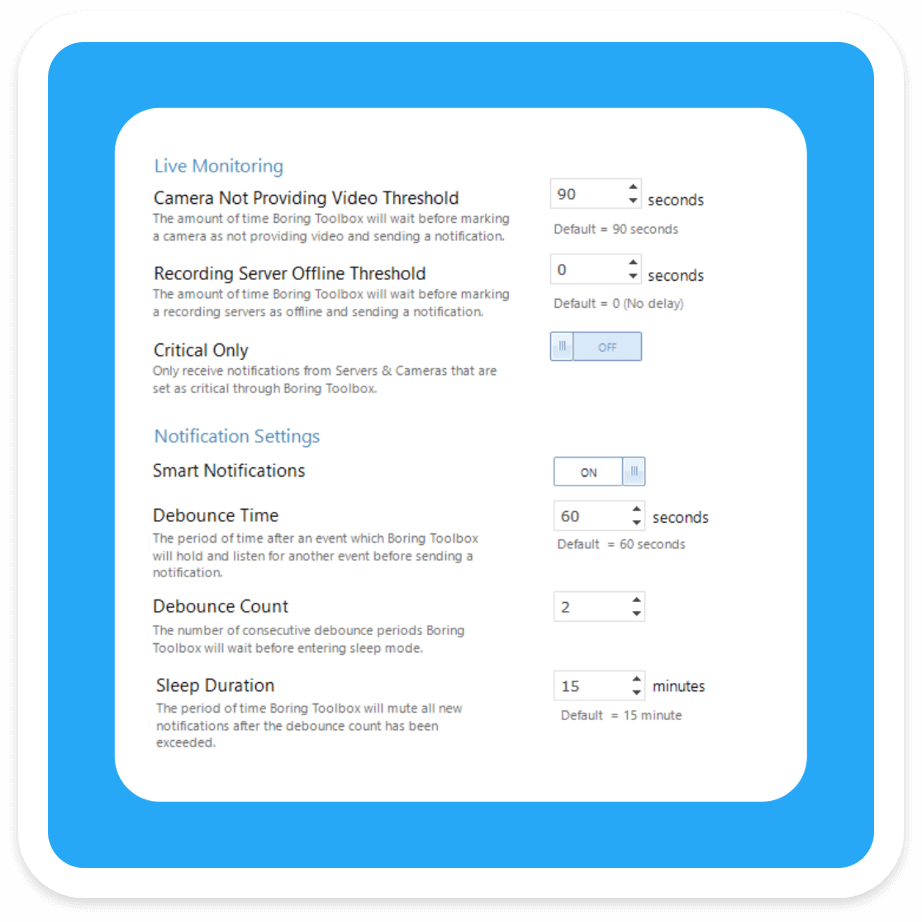
Set Your Event Thresholds to Trigger Email Notifications
Customizing your Smart Notifications ensures every alert you receive is meaningful. Thresholds allow you set time triggers for when your cameras stop providing video and recording servers go offline helping Boring to know which down events you need to be alerted to.
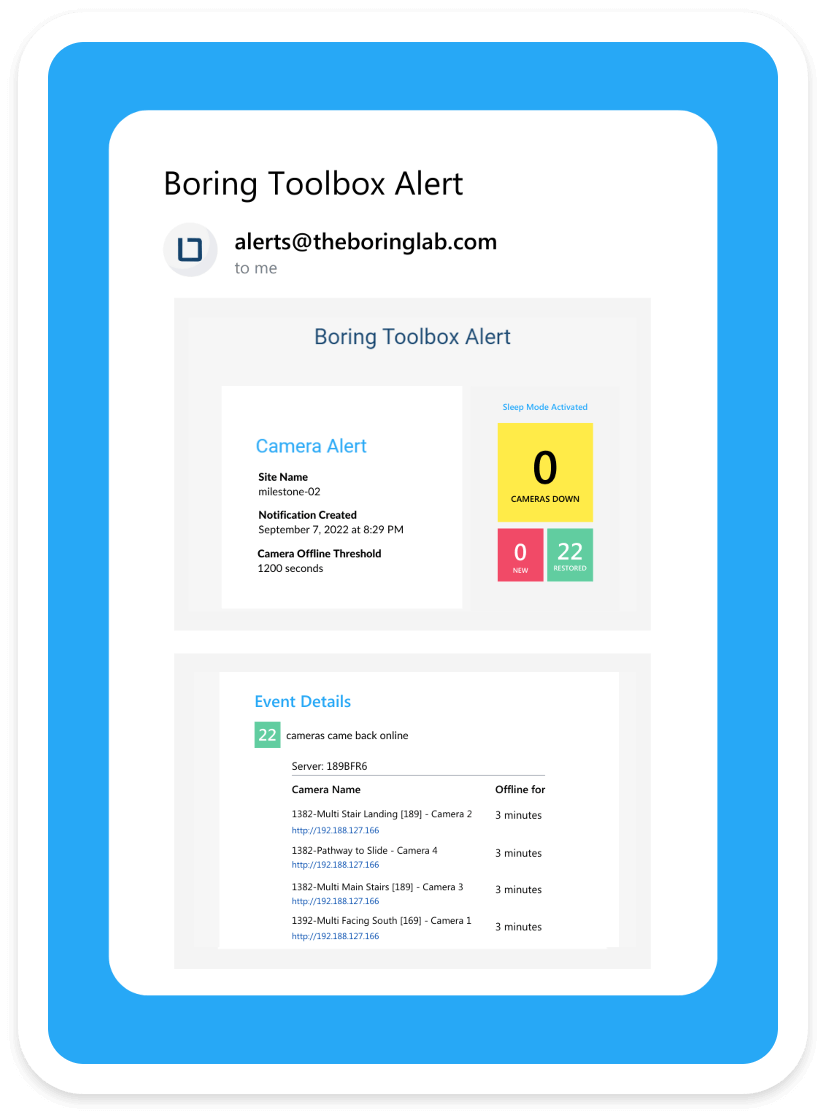
Down Event Occurs & First Email Notification Is Sent
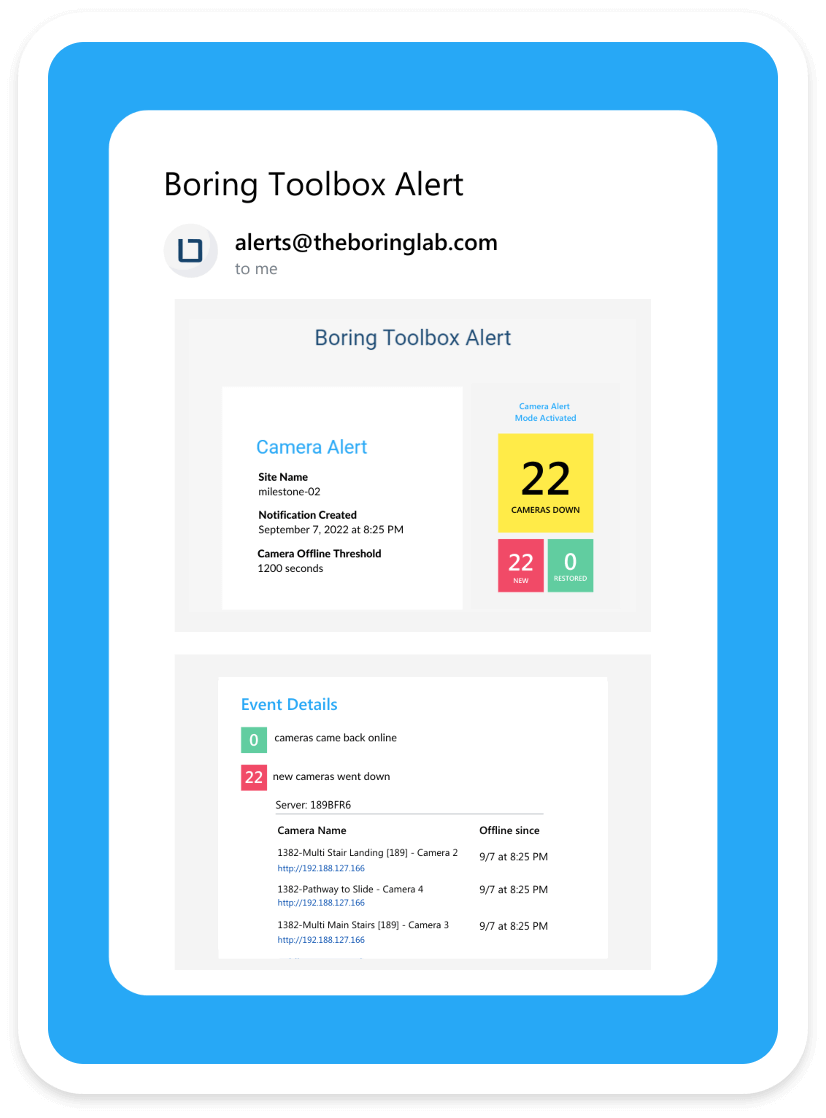
After a down event happens where your threshold is met, Boring searches your VMS to review the health status for all of your cameras and recording servers. Boring then bundles that information into a single alert, giving you a comprehensive look your systemwide health and recent down events.
Service Is Restored & Second Email Is Sent
As service is restored (your servers go back online and cameras video is received) a second email is sent, notifying you and giving you another updated snapshot on your system-wide health and all of the recent restorative events.
No need to reference or correlate information across emails or systems. Everything you need to know in one, easy-to-understand email.
Customizing your Smart Notifications ensures every alert you receive is meaningful. Thresholds allow you set time triggers for when your cameras stop providing video and recording servers go offline helping Boring to know which down events you need to be alerted to.
After a down event happens where your threshold is met, Boring searches your VMS to review the health status for all of your cameras and recording servers. Boring then bundles that information into a single alert, giving you a comprehensive look your systemwide health and recent down events.
As service is restored (your servers go back online and cameras video is received) a second email is sent, notifying you and giving you another updated snapshot on your system-wide health and all of the recent restorative events.
No need to reference or correlate information across emails or systems. Everything you need to know in one, easy-to-understand email.
“The Boring Toolbox has helped to make management of the surveillance system much more manageable. The dashboard provides a quick overview of the entire system. This makes it much easier to locate and isolate issues.”
“The Boring Toolbox has helped to make management of the surveillance system much more manageable. The dashboard provides a quick overview of the entire system. This makes it much easier to locate and isolate issues.”
What Can You Monitor With The Boring Toolbox?
Recording Server Storage Space
Which Cameras Are Consuming The Largest Amount Of Storage
Potential Archive Storage Configuration Issues
Potential SD-Card Errors
Which Cameras Are Providing And Not Providing Video, In Real-Time
Recent Up And Down Events For Your Cameras And Recording Servers
Cameras With Short But Frequent Down Events (“Flapping Cameras”)
What Cameras Are Not Recording
Camera and Recorder Uptime Trends Over Time
Storage Usage Patterns and Spikes
Retention Compliance: Expected vs. Actual Days
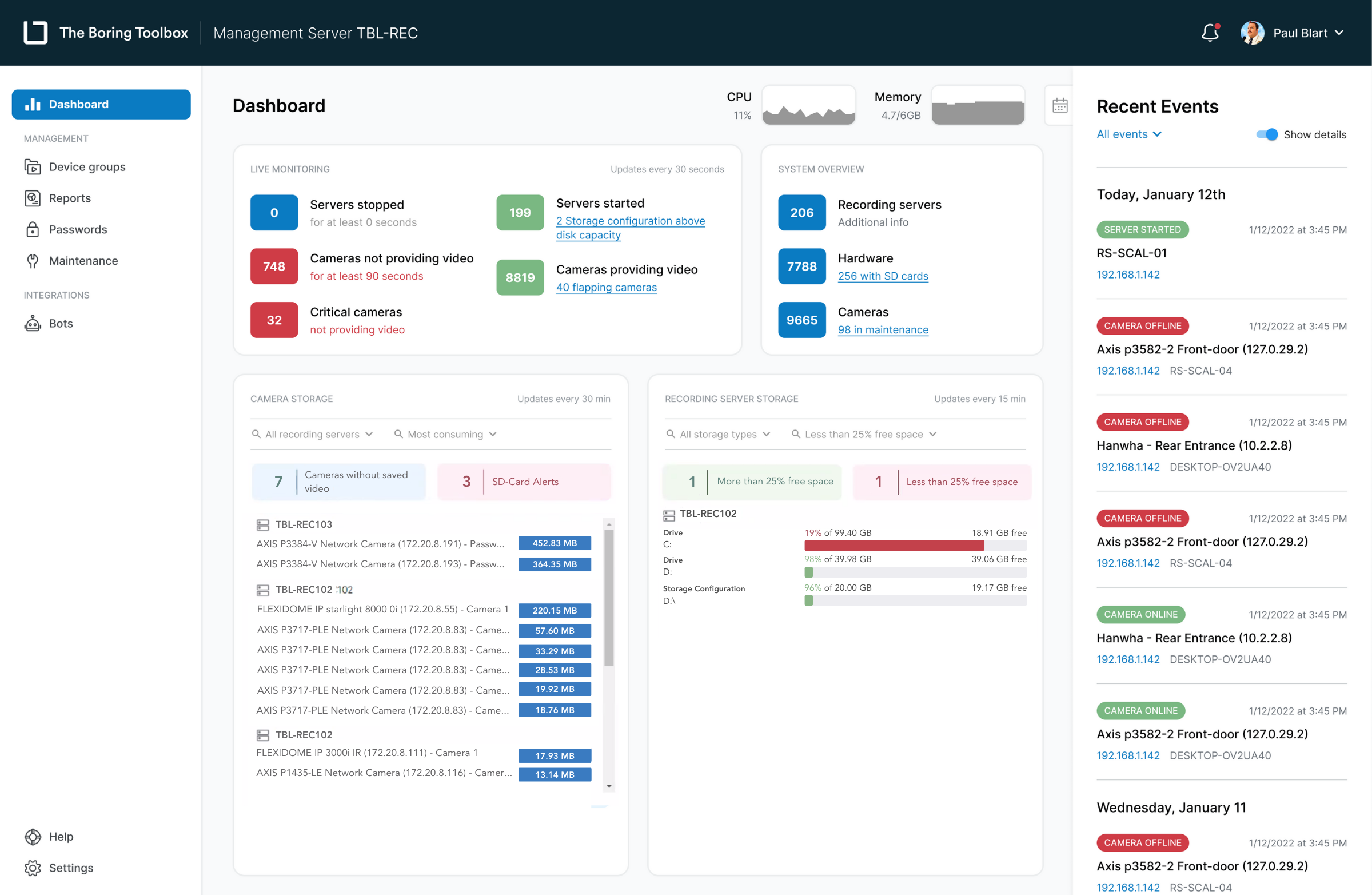
LIVE MONITORING DASHBOARDS
Actionable Health Data at Your Fingertips
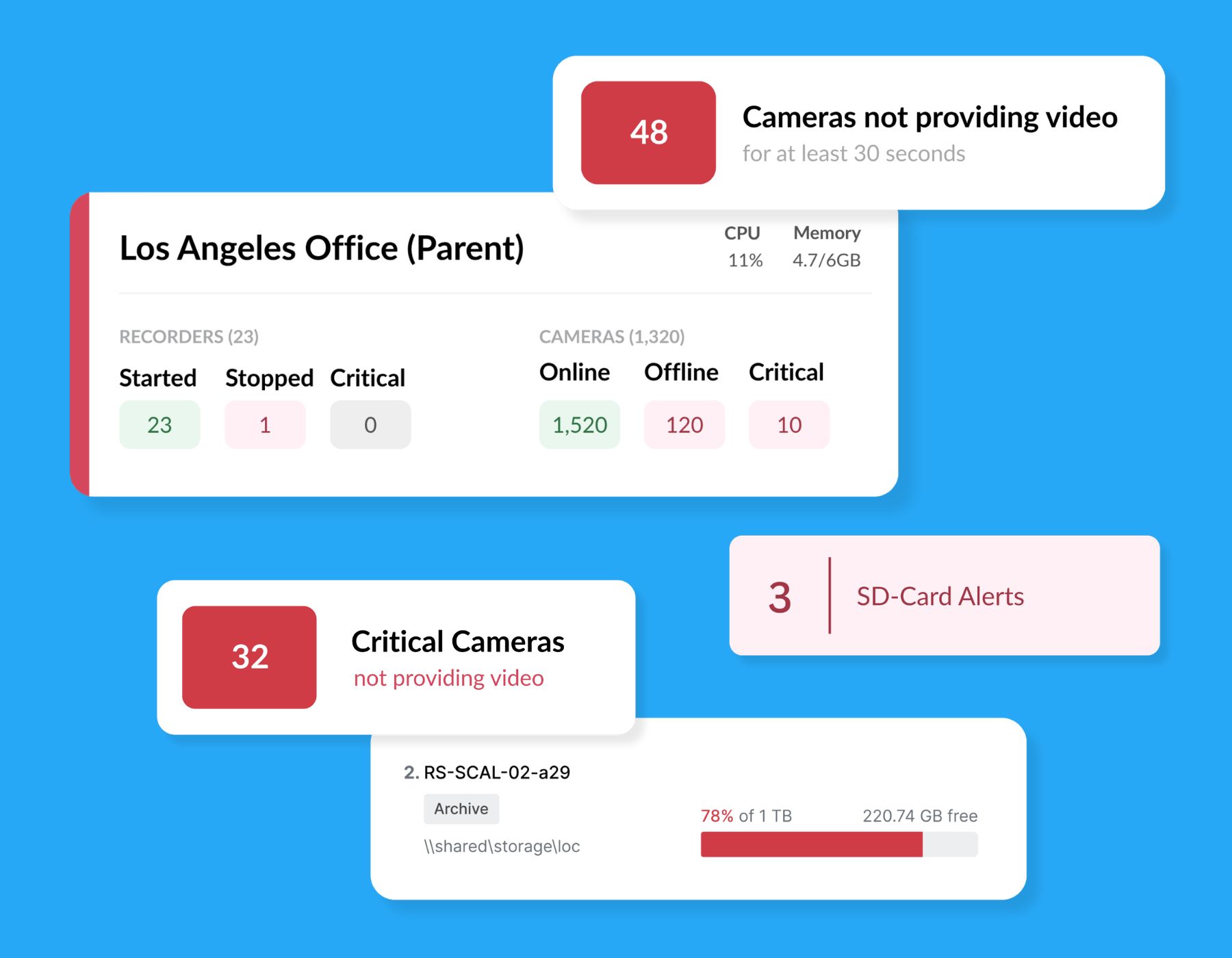
Always know when and where there is an issue that needs your attention
Actionable data let's you be proactive about the health of your VMS and prevent lost video
Use real-time insights to make better decisions and act more quickly
Monitor camera and storage health for all sites from one dashboard
ANALYTICS
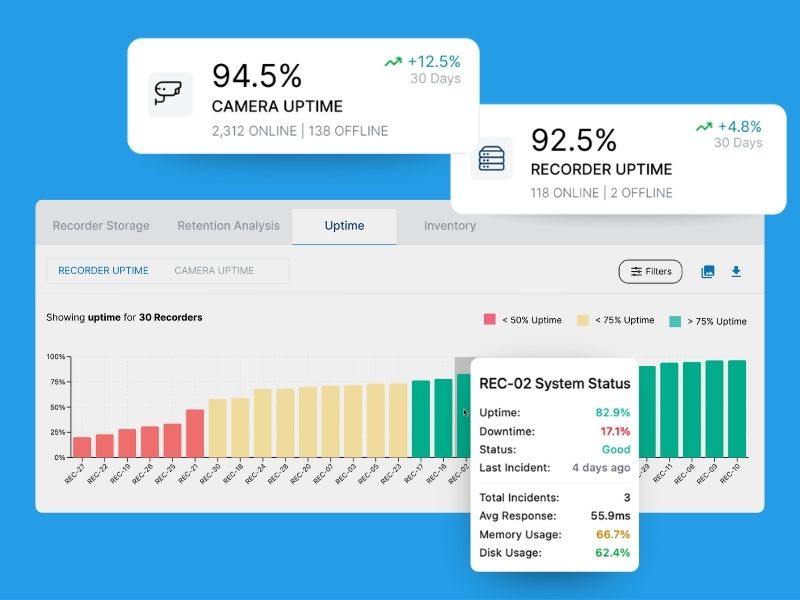
Track Storage Trends & System Performance Over Time
Easily review how camera and recorder uptime changes day by day, week by week, or month by month.
Spot configuration issues, storage limitations, recurring outages before they lead to lost video.
Track compliance over time with historic data on your actual retention for all cameras and recording servers.
BORING FOR YOUR BROWSER
Access Your XProtect Health Insights From Anywhere
Log in to The Boring Toolbox web app from any browser to monitor the health of your VMS on the go
Share insights easily across your team with no software needed